DNS switcher · macOS & Windows
The fastest, safest DNS, one click away.
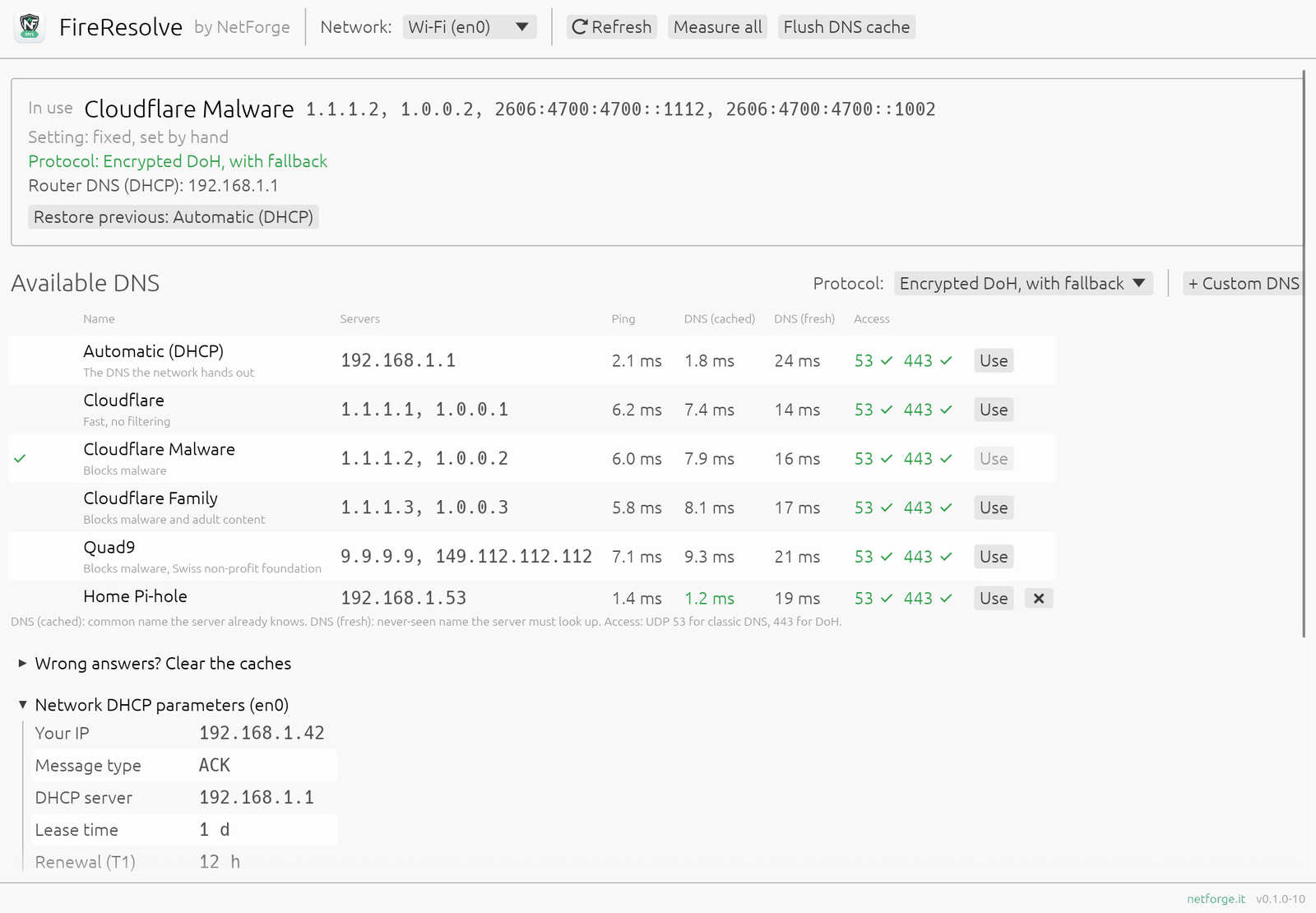
FireResolve switches your computer's DNS between Cloudflare, Cloudflare Malware, Cloudflare Family, Quad9, your router or your own servers. It measures each one from your network, so you choose with numbers, not guesses.
Choose your DNS knowing what you choose
Every DNS promises to be fast. FireResolve measures them from where you are, then switches in one click.
One-click DNS
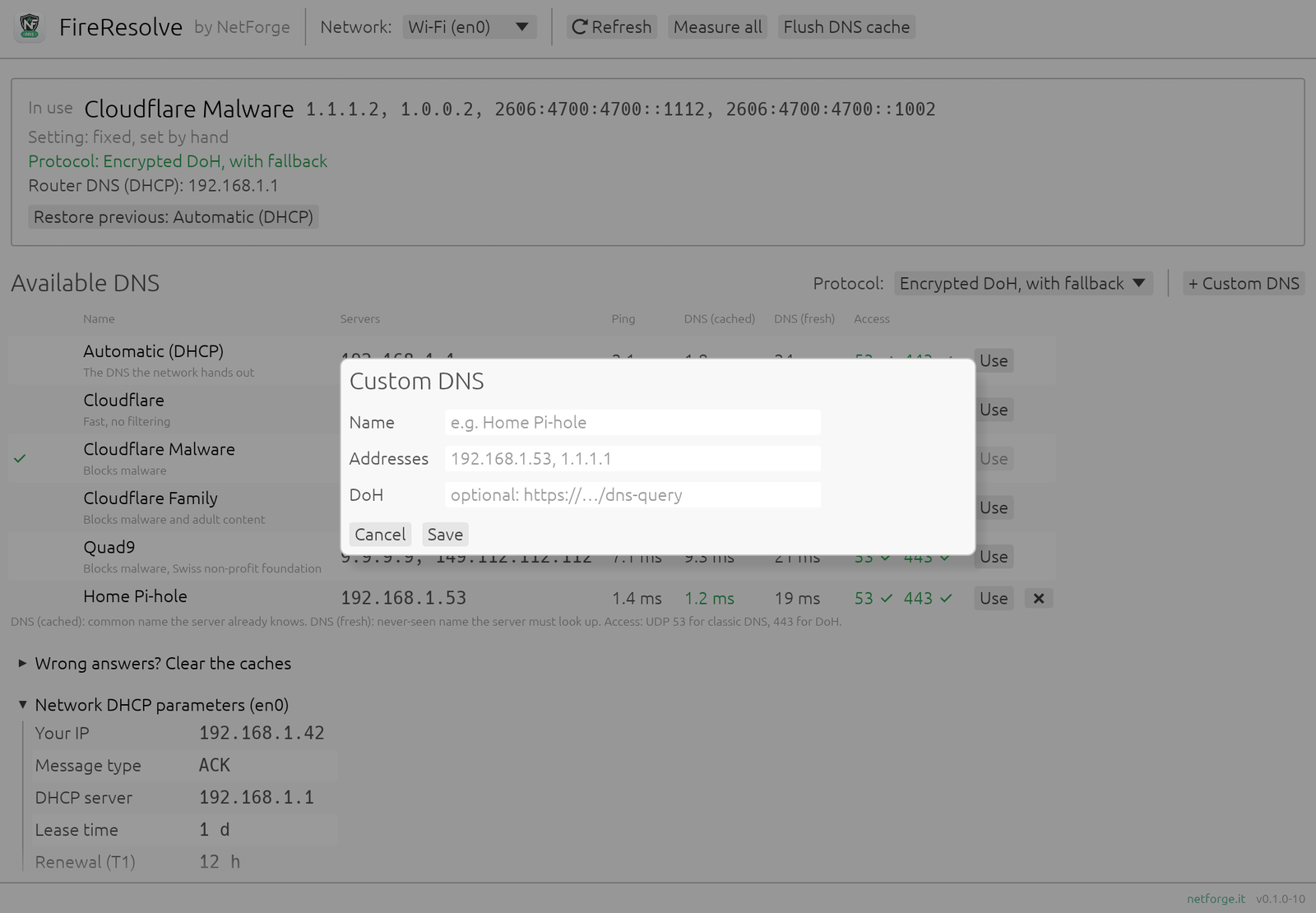
Cloudflare, Cloudflare Malware, Cloudflare Family, Quad9, the router's DNS (DHCP) or your own servers, such as a Pi-hole. IPv4 and IPv6 set together.
Real measurements
Ping, response time on a cached name and on a never-seen name, and reachability on port 53 and 443 (DoH). The fastest is highlighted.
What your DHCP hands out
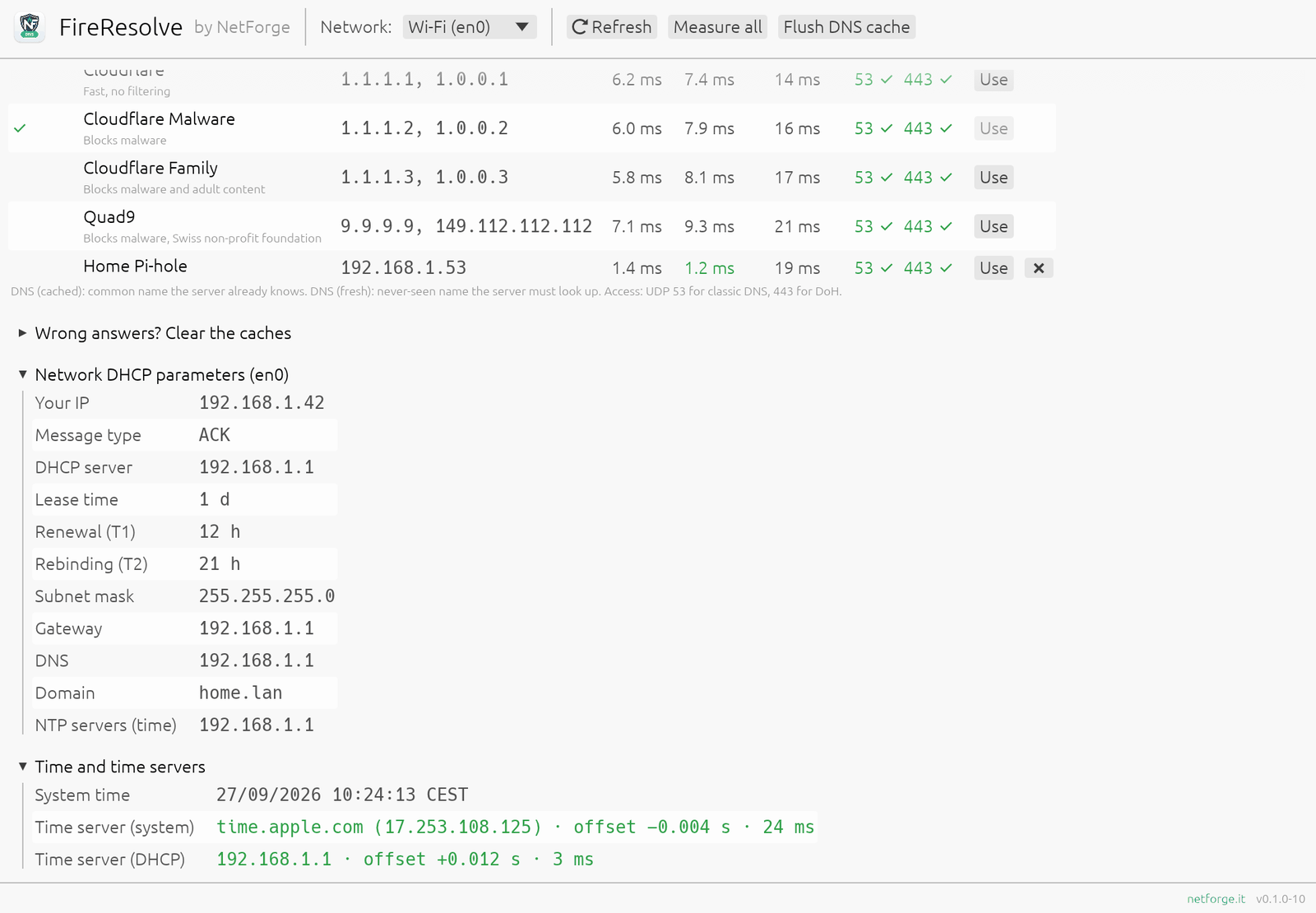
The parameters your network gives you: your IP, DHCP server, lease, gateway, DNS, domain, time servers. With warnings when something looks off, like an announced WPAD proxy.
Clock check
Asks the system time server and your network's one how far off your clock is. A clock a few seconds out breaks 2FA codes; a few minutes, HTTPS certificates.
Never left offline
Before switching, FireResolve checks the new DNS answers from your network: many offices, hotels and public Wi-Fi block external DNS. One click restores the previous setting.
Native and light
A single native app of a few MB, written in Rust. No webview, no browser engine, no account. Flush the DNS cache with one button. In English and Italian.
A look inside
The screenshots use example data.
Secure by design
Changing DNS needs administrator rights. FireResolve asks for them only for that moment, and only for that.
- The app never runs as administrator. Only the DNS change and the cache flush ask for approval: the password prompt on macOS, UAC on Windows.
- Addresses are validated as real IPs. No free text ever reaches a system command; the administrator step re-checks everything it receives.
- No shell in between. System programs start from their fixed path with separate arguments: networksetup on macOS, netsh on Windows.
- No telemetry, no account. The only network traffic is the measurements you see, and the DNS itself.
- Nothing hidden. One small preferences file with your custom DNS; uninstall the app and your network stays as you left it.
Download
FireResolve __VERSION__ for macOS 10.13 or later, one app for Apple Silicon and Intel Macs.
FireResolve is free: download it and use it at no cost, with no account and no registration. It is proprietary software by NetForge; the source code is not published.
SHA-256 checksums: FireResolve-macos.sha256
Windows
FireResolve __VERSION__ for Windows 11 and Windows 10 (1809 or later), on x64 and ARM PCs.
- Extract the .zip and open FireResolve.exe: nothing to install.
- FireResolve is not signed, so the first time Windows SmartScreen shows "Windows protected your PC": click More info → Run anyway.
- When you change DNS or flush the cache, Windows asks for approval (UAC): only that step runs as administrator.
SHA-256 checksum: FireResolve-windows.sha256
Install from Terminal (macOS)
The quickest way: no Gatekeeper warning, and the same command updates FireResolve to the latest version.
The script downloads the .zip, checks its SHA-256 checksum and installs the app in Applications. Read it before running it.
Or from the .dmg
FireResolve is not notarized by Apple, so the first time you open a copy downloaded with the browser macOS blocks it. To allow it:
- Open FireResolve once and close the warning.
- Go to System Settings → Privacy & Security, scroll down and click Open Anyway.
- Confirm with your password. From then on it opens normally.
When you change DNS, macOS asks for the administrator password (or Touch ID): that is the only step that needs it.
From the makers of NetForge
NetForge is the security dashboard for Linux sysadmins: audit, firewall, VPN, SSL, DNS and network analysis in 50+ modules. It runs locally, with no cloud and no telemetry.
Discover NetForge →